Pure Asset Touchpoint
Touchpoint: offline-2 · Type: ASSET card · Root node with nested child
Full API response (collapsible)
Node tree
Auto-applied transforms
utm_content —
offline-2 auto-appended to CTA action
URL
hydration — not applicable (ASSET node,
no coinId needed)
nested nodes — root node contains a
child nodes[] array with the main image asset
Rendered touchpoint (Figma 1:1)


Offline
SHOP ONLINE
582 Players Claimed
offline-2
1. background
2. images[0]
3. overlay
4. badge
5. cta
background
nodes[0].images[0]
overlay
badge
cta
layoutHint: card
Images failed to load — download and open locally.
Layer stack (z-order)
1
background — sunburst pattern
(full card)
2
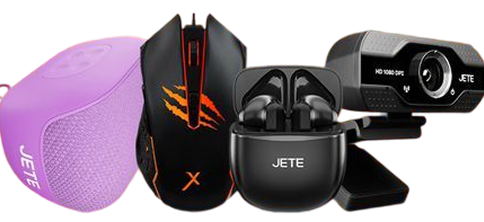
nodes[0].images[0] — product
collage (from child node)
3
overlay — Cash on Delivery
banner (157×114)
4
badge — backgroundImage asset
("Offline" indicator)
5
cta — "SHOP ONLINE"
(160×76)
PlaySuper · Touchpoint System Documentation
Generated 2026-04-02
Products with Static Assets
Touchpoint: online-3 · Type: ASSET + STATIC children · Product carousel
Full API response (collapsible)
Node tree
Key differences from Pure Asset
nodes[] — parent ASSET contains
5 STATIC children, each representing a
product
productId — each child node references a
product UUID for hydration
data — hydrated product info: name,
price, discount, coinSpread
images[] — static product image
(pre-designed asset, not the product imageUrl)
cta.backgroundImage — overlay asset for
the CTA button
Data priority & chaining pattern
Rule: Node-level asset fields take priority over hydrated
data fields. Use chaining to prefer
explicit assets, fallback to product data.
Why? Static images are pre-designed assets tailored for
the touchpoint layout. Product imageUrl may have different
aspect ratios or styles.
Chaining examples (TypeScript/Unity):
// Image: prefer node.images[0], fallback to data.imageUrl
const productImage = node.images?.[0] ?? node.data?.imageUrl;

// Title: prefer node.title[0].text, fallback to data.name
const title = node.title?.[0]?.text ?? node.data?.name;

// Price: always from hydrated data (real-time pricing)
const price = node.data?.discountedListingPrice;
const coinSpread = node.data?.coinSpread;

// CTA action: prefer node.cta.action, fallback to data.ctaUrl
const ctaUrl = node.cta?.action ?? node.data?.ctaUrl;
In this example:
images[0] is a
static PNG asset, not the product's imageUrl. The
coinSpread and prices come from
data (hydrated in real-time).
Rendered touchpoint (Figma 1:1)


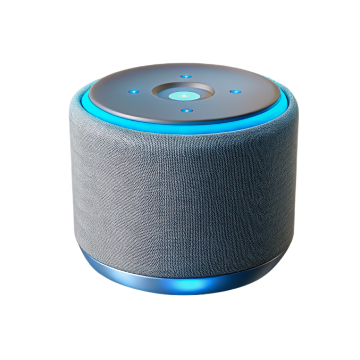


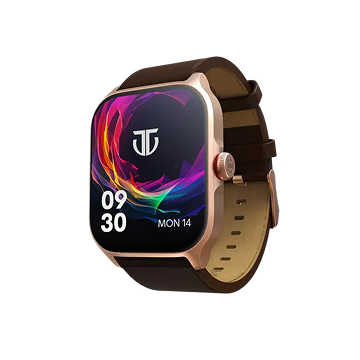
 32
32
online-3
1. background
2. product image (carousel)
3. cta
background
nodes[0].images[0]
cta
Images failed to load - download and open locally.
Layer stack (z-order)
1
background — orange sunburst
(full card)
2
nodes[0].images[0] — product
carousel (200x200)
3
cta — cta.backgroundImage +
coinSpread (32)
PlaySuper · Touchpoint System Documentation
Generated 2026-04-03
Dynamic Product Touchpoint
Touchpoint: vip-store · Type: DYNAMIC nodes · Algorithmically served products
Full API response (collapsible)
Node tree
Key characteristics
dataType: DYNAMIC — nodes are generated
at runtime based on dynamicConfig rules
id: dynamic-* — IDs are prefixed with
"dynamic-" followed by parent node ID and index
no images[] — unlike STATIC nodes, these
have no pre-designed assets
data.imageUrl — product image comes
directly from the catalog/CDN
layoutHint: carousel — UI hint for
rendering as horizontal scroll or carousel
background.color — optional card
background color as hex value (#0377FC)
cta.backgroundImage — button background
image URL from S3/CDN
cta.text — button label text (e.g.,
"Add")
How it differs from STATIC
| Aspect | STATIC | DYNAMIC |
|---|---|---|
| Product selection | Hand-picked in console | Algorithm/filters |
| images[] | Pre-designed S3 assets | Not present |
| Product image | images[0] (designed) | data.imageUrl (catalog) |
| Node ID | UUID from database | dynamic-{parentId}-{index} |
| Count | Fixed (configured) | Variable (by config limit) |
| background.color | Rarely used (asset-based) | Common (dynamic card styling) |
Usage pattern (TypeScript)
// Dynamic nodes: use data directly (no asset chaining needed)
touchpoint.nodes.forEach((node) => {
  if (node.dataType === 'DYNAMIC') {
    // Image comes from catalog - no node.images[] override
    const imageUrl = node.data.imageUrl;

    // All product info from data
    const name = node.data.name;
    const price = node.data.discountedListingPrice;
    const coins = node.data.coinSpread;
    const discount = node.data.discountPercent;

    // CTA with action, text, and backgroundImage
    const ctaUrl = node.cta?.action;
    const ctaText = node.cta?.text ?? 'Add';
    const ctaBgImage = node.cta?.backgroundImage;

    // Optional background color for card styling
    const bgColor = node.background?.color ?? '#ffffff';

    renderProductCard({
      imageUrl, name, price, coins, discount,
      ctaUrl, ctaText, ctaBgImage, bgColor
    });
  }
});
Rendered touchpoint (VIP Store)
VIP Store

Baleshwar Purple Formals Shirts
₹361
₹1099
using 38
💰
Add

Pack of 4 vintage wrist watches
₹404
₹2999
using 25
💰
Add

Red And Black Combo Watch
₹357
₹2199
using 22
💰
Add

Red And Blue Analog Watch
₹357
₹2199
using 22
💰
Add

White Diamond Dial Watch
₹376
₹1499
using 23
💰
Add
vip-store
DYNAMIC nodes
No pre-designed assets
Images failed to load - download and open locally.
Data fields (from node.data)
1
data.imageUrl — product image
from catalog CDN
2
data.name — product display
name
3
data.discountedListingPrice —
final price
4
data.coinSpread — max coin
discount
5
background.color — card
background color
6
cta.backgroundImage — button
background asset
7
cta.text — button label
text
PlaySuper · Touchpoint System Documentation
Generated 2026-04-03
FTUE Nested Cards Touchpoint
Touchpoint: ftue · Type: ASSET with nested nodes · Container + 3 child cards
Full API response (collapsible)
Node tree
Key characteristics
nested nodes[] — parent container with
3 child card nodes
layoutHint: container — parent acts as
layout wrapper, not rendered directly
title[] — parent has styled title with
text + color
background.images[] — each child has its
own background asset
cta.backgroundImage — custom button
assets for each card
badge — Card 2 has discount badge with
text + backgroundImage
How nested nodes work
| Level | Node | Purpose |
|---|---|---|
| Root | ftue | Touchpoint entry |
| Level 1 | Container node | Title + CTA + holds children |
| Level 2 | Child cards (0, 1, 2) | Individual step cards |
Usage pattern (TypeScript)
// FTUE: Container with nested child cards
const container = touchpoint.nodes[0];

// Render title from container
const titleText = container.title?.[0]?.text;
const titleColor = container.title?.[0]?.color;

// Render child cards
container.nodes?.forEach((card, index) => {
  const bgImage = card.background?.images?.[0];
  const mainImage = card.images?.[0];
  const ctaLabel = card.cta?.text;
  const ctaBgImage = card.cta?.backgroundImage;
  const badge = card.badge; // Only card 2 has this

  renderCard({ bgImage, mainImage, ctaLabel, ctaBgImage, badge });
});

// Container CTA at bottom
const shopCta = container.cta;
renderButton(shopCta.text, shopCta.action);
Rendered touchpoint (FTUE)
Win Matches & Get Discount!

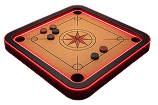
Play Game


Earn Gems


Buy using Gems
Shop Now
Images failed to load - download and open locally.
Container node fields
1
title[].text — container
headline
2
cta.text — main CTA button
("Shop Now")
Child card fields (repeated for each card)
3
background.images[0] — card
background
4
images[0] — main
illustration
5
cta.backgroundImage — button
asset
6
cta.text — button text
7
badge — discount badge (Card 2
only)
PlaySuper · Touchpoint System Documentation
Generated 2026-04-03